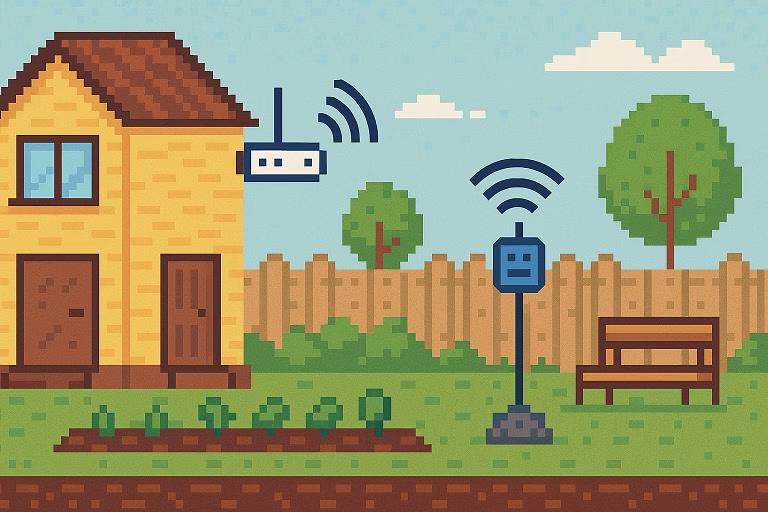
In today’s connected world, having reliable Wi-Fi isn’t just a luxury—it’s a necessity. Whether you’re working remotely, streaming music, or relaxing outdoors, extending your Wi-Fi to your garden can completely transform your outdoor experience.
However, Wi-Fi signals often struggle to penetrate thick walls or travel long distances, leaving your garden or backyard as a frustrating Wi-Fi dead zone. Fortunately, you can fix that! Here’s a complete guide on how to extend Wi-Fi to your garden using practical, proven methods.
1. Assess Your Current Wi-Fi Setup
Before buying new equipment, evaluate your existing Wi-Fi coverage.
- Use a free Wi-Fi analyzer app on your smartphone to map signal strength around your home and garden.
- Identify areas where the signal weakens or disappears completely.
This step helps determine whether you need a Wi-Fi extender, mesh system, or outdoor access point to solve your specific coverage issue.
2. Upgrade Your Router
If your router is several years old, it may not have the range or technology to handle outdoor coverage.
- Look for a dual-band or tri-band router with beamforming and MU-MIMO support.
- Place the router in a central or window-facing position near your garden for maximum reach.
Pairing a modern router with a Wi-Fi extender or mesh node ensures stronger and more stable outdoor connectivity.
3. Use a Wi-Fi Extender or Repeater
A Wi-Fi extender (or repeater) is the simplest way to extend Wi-Fi to your garden.
- It rebroadcasts your existing network, increasing the range without requiring extra wiring.
- Position it near a window or door facing the garden for the best outdoor signal.
- Choose a dual-band or high-speed extender to minimize speed loss.
💡 Pro tip: Some extenders let you set a custom SSID like “HomeGarden_WiFi” for easier connection outdoors.
4. Install an Outdoor Access Point
For long-term and weather-resistant solutions, consider an outdoor Wi-Fi access point (AP).
- These are waterproof, high-powered devices designed for outdoor coverage.
- Connect the AP to your router using an Ethernet cable for the most reliable signal.
It’s ideal for large gardens or backyards where standard Wi-Fi extenders may fall short.
5. Invest in a Mesh Wi-Fi System
Mesh Wi-Fi systems are perfect for seamless coverage inside and outside your home.
- They use multiple nodes that automatically route traffic between each other.
- Place one node near a garden-facing wall, porch, or window to extend coverage outdoors.
Mesh systems like Google Nest Wi-Fi, TP-Link Deco, or Netgear Orbi are easy to install and can replace extenders altogether.
6. Position Your Router Strategically
Sometimes, you don’t even need new equipment—just a smarter placement.
- Move the router away from walls and metal surfaces.
- Keep it off the floor and near a window that faces the garden.
- Avoid interference from microwaves or cordless phones.
Even minor adjustments can boost your garden Wi-Fi coverage.
7. Use a Powerline Adapter with Wi-Fi
If Ethernet cabling isn’t feasible, powerline adapters are a clever alternative.
- They use your home’s existing electrical wiring to transmit the network signal.
- Plug one adapter near your router and another near your garden outlet.
Add a Wi-Fi-enabled powerline unit outdoors to create a new hotspot without running long cables.
8. Add a Weatherproof Wi-Fi Antenna
Tech-savvy users can install an external weatherproof Wi-Fi antenna on a wall facing the garden.
- These antennas increase range and can connect directly to your router or access point.
- They’re excellent for larger properties or gardens separated by thick walls.
For even better results, pair the antenna with a Wi-Fi extender for consistent performance.
9. Use a Directional Wi-Fi Booster for Specific Spots
If you only need Wi-Fi in one part of your garden—say a patio, gazebo, or shed—a directional Wi-Fi booster works best.
- These focus the signal toward a single direction instead of broadcasting in all directions.
- They deliver high signal strength in targeted areas, reducing interference elsewhere.
10. Secure Your Outdoor Network
Extending Wi-Fi outdoors means more exposure, so keep it secure:
- Use WPA3 encryption and a strong password.
- Set up a guest network for outdoor devices to isolate them from your main network.
- Regularly update your router or extender firmware for security patches.
Final Thoughts: Enjoy Seamless Wi-Fi in Your Garden
Learning how to extend Wi-Fi to your garden doesn’t have to be complicated.
With the right mix of equipment—whether a Wi-Fi extender, mesh system, powerline adapter, or outdoor access point—you can eliminate dead zones and stay connected anywhere on your property.
Enjoy streaming, working, or relaxing outside without dropouts.
Your garden can now be more than just green—it can be smart and connected.
